Sign In to L444 Casino Account

L444.COM gives Bangladesh players direct access to 15,000+ games, sports betting, live casino, and personal account features - all through a single login. Whether you use the website, Android app, or iOS version, the sign-in process takes under 30 seconds. This page covers every login method, common issues, password recovery, and security settings so you never lose access to your account.

How to Sign In to L444

Opening the L444 login form is straightforward on any device. On the desktop or mobile browser, the 'Login' button sits in the top-right corner of every page at l444.org. Tap it and the sign-in screen appears instantly.

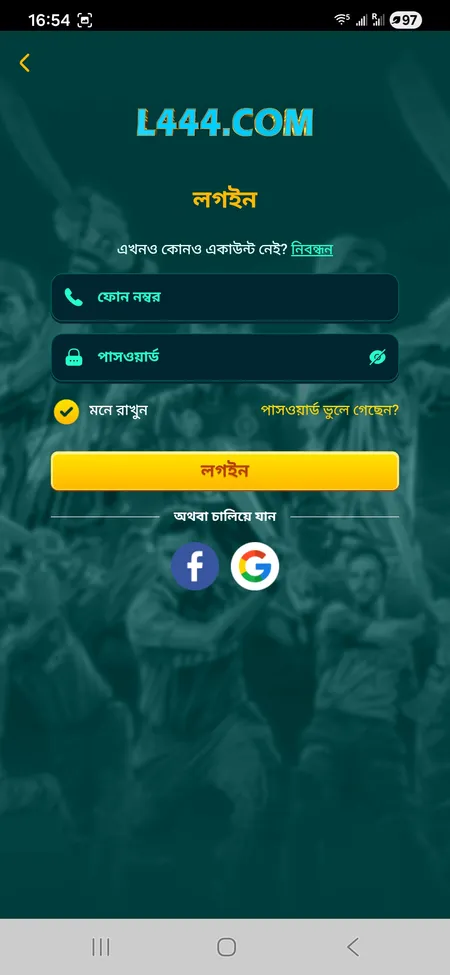
The form contains two fields: your registered phone number (11 digits) and your password. Below the fields you will find a 'Remember Me' checkbox and a 'Forgot Password' link. Hit the login button and you are inside your account.

Supported login methods on L444:

  • Phone number and password (primary method)
  • Facebook account (one-tap via OAuth)
  • Google account (one-tap via OAuth)
  • Fingerprint or Face ID (mobile app only)

The platform stores your session until you manually log out or clear the browser cache. On the Android APK and iOS app, biometric login stays active across restarts.

L444 sign-in form with phone and password fields

The login screen shows the phone number field, password field, Remember Me checkbox, Forgot Password link, and social login options via Facebook and Google.

Open L444 and Sign In

Step-by-Step Login Process

Follow these steps to sign in without errors:

  1. Go to l444.org or open the L444 app on your device.
  2. Tap the 'Login' button in the top-right corner.
  3. Enter your 11-digit Bangladeshi mobile number in the phone field.
  4. Enter your password (case-sensitive).
  5. Tick 'Remember Me' if you want the session saved on this device.
  6. Press the Login button.
  7. If prompted, complete the CAPTCHA verification.
  8. You are now inside your account dashboard.

The whole process takes under 30 seconds on a stable connection. If you entered the correct credentials and still see an error, check the troubleshooting section below.

Login via L444 Mobile App

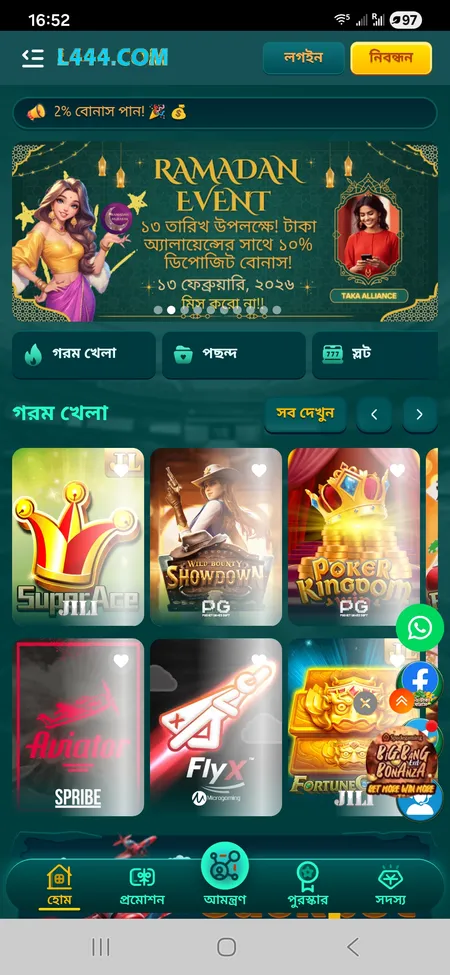
  1. L444 app home screen

    Open the L444 Android APK or iOS app. The home screen loads with Login and Register buttons at the top.

  2. L444 app login form

    Tap Login. Enter your 11-digit phone number and password. Use biometric login (fingerprint or Face ID) if you enabled it previously.

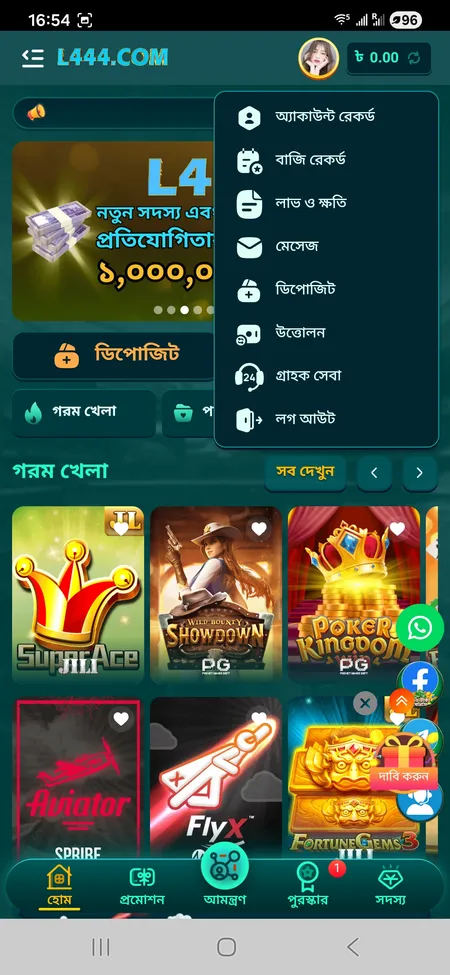
  3. L444 account menu after login

    After successful login, your account balance appears in the header and the full menu - Deposit, Withdraw, Rewards, VIP, Sports, and Casino - becomes active.

Download the L444 App

Login Form Layout

Understanding the login screen helps you avoid mistakes. Here is what each element does:

Element Function
Phone number field 11-digit number used during registration
Password field Case-sensitive, minimum 6 characters
Remember Me checkbox Keeps session active on this device
Forgot Password link Starts password recovery via SMS
Login button Submits credentials
Facebook / Google buttons Social login without a password

The interface is available in Bengali and English. Switch the language from the menu icon before opening the login form if needed.

L444 supports biometric login on the Android APK (version 2.4.x and above) and the iOS version. Enable it once in your profile settings and every future login takes one fingerprint scan.

Password Recovery

If you forgot your password, the recovery process uses your registered phone number and an SMS code.

  1. Tap 'Forgot Password' on the login screen.
  2. Enter your 11-digit registered mobile number.
  3. An SMS with a verification code is sent to that number.
  4. Enter the code on the recovery page.
  5. Set a new password (min. 8 characters, mix of letters and numbers recommended).
  6. Log in with the new password.

If you no longer have access to the registered phone number, contact the 24/7 support team directly via live chat on the site or through Telegram at @L444officialchannel. Support agents in Bangladesh resolve account access issues within 2-5 minutes on average.

Contact L444 Support

Common Login Problems and Fixes

Most sign-in issues fall into one of these categories:

Wrong password - The password is case-sensitive. Check that Caps Lock is off. If unsure, use the recovery flow immediately rather than guessing multiple times.

Account temporarily locked - After several failed attempts the system may lock the account for a short period. Wait 10-15 minutes or contact support.

CAPTCHA not passing - Refresh the page and try again. A slow connection sometimes causes the CAPTCHA to fail silently.

Old app version - An outdated APK may not connect to the current servers. Download the latest version from l444.org or l444app.net.

Network issues - Switch between mobile data and Wi-Fi. If the site is unreachable, try the mirror domains: l444.io, l444.bet, or l444.win - they carry the same login system.

Social login error - If Facebook or Google login fails, check that your browser allows third-party cookies, then retry.
L444 rules state that multiple accounts from the same IP address or phone number are treated as fraud. Use only one account per person. Creating duplicate accounts to claim bonuses may result in permanent suspension.

Logging In on Different Devices

L444 works across all major platforms without any extra setup:

Device Access method
Desktop browser (PC) l444.org - top-right Login button
Mobile browser (Android or iOS) l444.org - responsive version, same button
Android APK Download from l444.org or l444app.net, install via 'Unknown Sources'
iOS IOS LITE-APP from the app download section, or PWA via Safari

Sessions are independent per device. Logging in on your phone does not log you out on your PC. The only exception is a manual 'Logout from all devices' action available in the account menu.

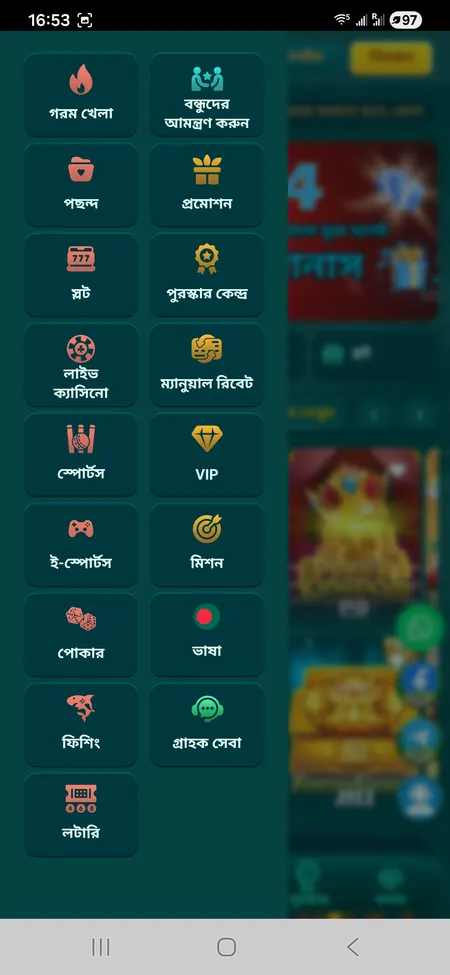
L444 side navigation menu with game categories

After login the side menu gives access to Hot Games, Live Casino, Sports, Slots, Fishing, Poker, VIP section, Missions, and Support - all in one panel.

Play at L444 Now

Security and Account Protection

L444 uses SSL encryption on all pages, including the login form. Every credential you submit travels over an encrypted connection. Beyond that, the platform has several active protections:

  • Antifaud detection - unusual login attempts from new IPs trigger verification steps.
  • Session timeout - inactive sessions are ended automatically after a period of inactivity.
  • Transaction password - withdrawals require a separate transaction password, separate from the login password.
  • Device management - the account menu shows recent login records so you can spot unauthorised access quickly.

For maximum security, use a unique password that you do not use on other sites. Avoid logging in over public Wi-Fi without a VPN. Never share your login credentials or OTP codes with anyone - L444 support agents will never ask for your password.

Official deposits happen only inside the platform interface. If anyone contacts you via Telegram or Facebook claiming to be L444 and asking for your login or payment details, that is a scam. Report it through the live chat immediately.

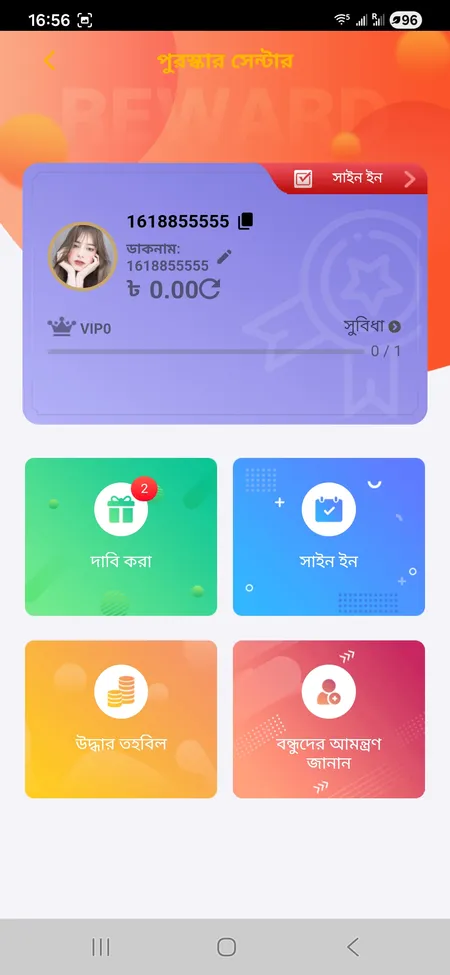
L444 Reward Center after login

What You Access After Login

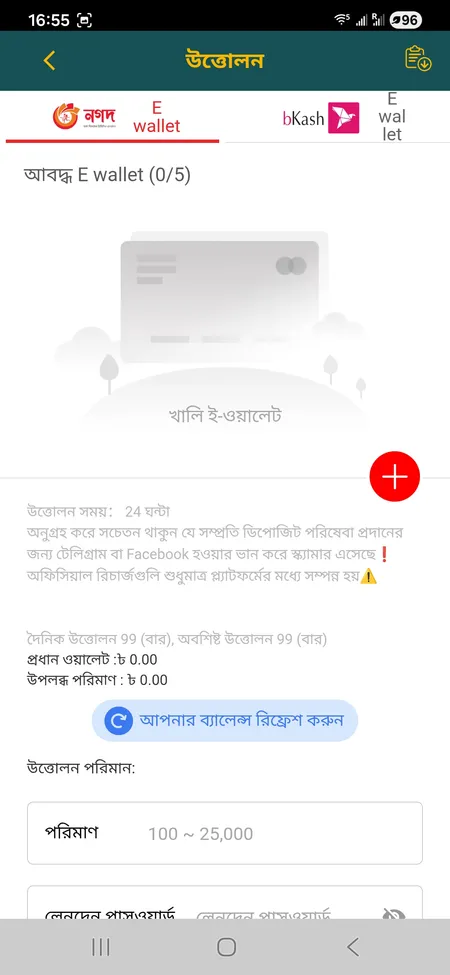
Your full account opens after sign-in: balance in BDT (Taka), deposit and withdrawal forms (bKash, Nagad, Rocket), betting history, bonus coupons in the Reward Center, VIP level progress, live casino tables, 15,000+ slots, sports betting on cricket and football, and the referral dashboard. The L444 games section and sports betting are only available to logged-in users.

L444 withdrawal form with bKash option

KYC and Withdrawals

Standard deposits and gameplay are available right after login. Withdrawals via bKash or Nagad process in 5-15 minutes for verified users. If your account has not completed KYC, processing may take 1-3 business days. KYC requires a valid NID or passport and proof of address. Complete verification early to avoid delays when you request your first withdrawal. Details are in your profile settings.

Check L444 Bonuses

Frequently Asked Questions About L444 Login

What do I use to log in to L444?

Your 11-digit Bangladeshi mobile number and the password you set during registration. Alternatively, use your Facebook or Google account linked to L444.

I forgot my L444 password - what now?

Tap 'Forgot Password' on the login screen, enter your phone number, and you will receive an SMS with a reset code. Enter the code and set a new password. If the number is no longer active, contact 24/7 support via live chat.

Can I log in using fingerprint on the L444 app?

Yes. The Android APK and iOS app support fingerprint and Face ID login. Enable it once in your profile settings after the first manual login.

Why does my L444 login keep failing?

Check that your password is entered correctly (it is case-sensitive). Make sure you are using the correct phone number. If you have tried several times, wait 15 minutes as the system may have triggered a temporary lock. Outdated APK versions can also cause login failures - download the latest from l444.org.

Is the L444 login page secure?

Yes. The login form at l444.org is protected by SSL encryption. All data entered is transmitted over an encrypted connection. The platform also monitors for unusual IP activity.

Can I be logged in on multiple devices at the same time?

Yes. Sessions on different devices are independent. Logging in on your phone does not end your PC session.

How do I log out of L444?

Open the account menu (top-right or side hamburger menu), scroll to the bottom, and tap Logout. To end all active sessions, use the 'Logout from all devices' option in the account settings.

What if the L444 site is blocked and I cannot reach the login page?

Try the official mirror domains: l444.io, l444.bet, l444.win, or l444vip.com. They use the same login system and account data. You can also access via the Android APK downloaded from l444app.net.

Do I need to complete KYC before I can log in?

No. You can log in and play immediately after registration. KYC verification is required before processing withdrawals if the system flags your account for review.

How do I log in to the L444 affiliate area?

The affiliate or agency login uses the same phone number and password as your regular account. Access the referral dashboard from the Invite section inside your account after signing in.

Ready to sign in and start playing? Visit L444.COM, enter your phone number and password, and your full account opens in seconds. New to the platform? Registration takes under two minutes.